
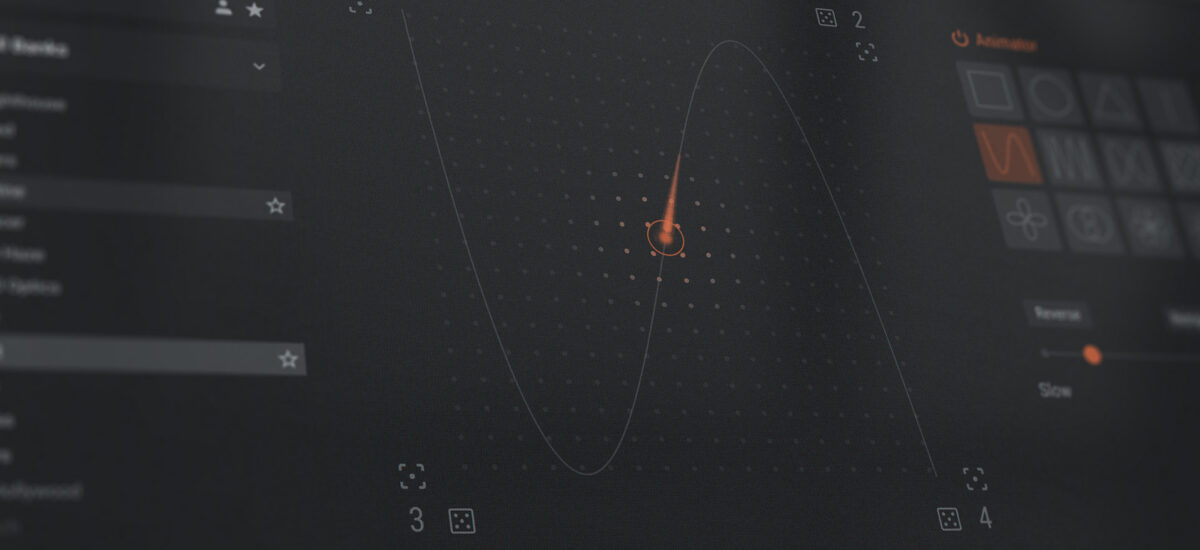
If you’re a producer or beatmaker, chances are you’ve felt overwhelmed by the sheer number of synth options out there. Whether paid or free, VST synth plugins can feel endless. It’s always a great catch to have one virtual instrument that can handle everything: powerful leads, evolving pads, and heavy basses. Usually, professional-level synths come with a hefty price tag, but we’ve changed that by releasing a free, streamlined version of our most iconic synth.
Introducing Native Instruments Massive X Player, a free software synth that makes it easier than ever to bring high-quality free synth sounds into your productions without spending a cent.
Native Instruments · Red - Fast Learner with Massive X Player
Massive X Player gives you immediate access to the singular sound of Massive X in an all-new, intuitive format. In this guide, we’ll walk you through everything you need to know to start making music with your free Massive X Player synth.
Get Massive X Player free
Jump to these sections:
What is Massive X Player?
Massive X Player is a reimagined version of our flagship synth. We designed this free synth to give producers and beatmakers access to the iconic Massive X sound engine in a simplified, performance-focused interface. It includes a curated library of handcrafted presets that covers everything from earth-shattering bass to lush pads and punchy leads.
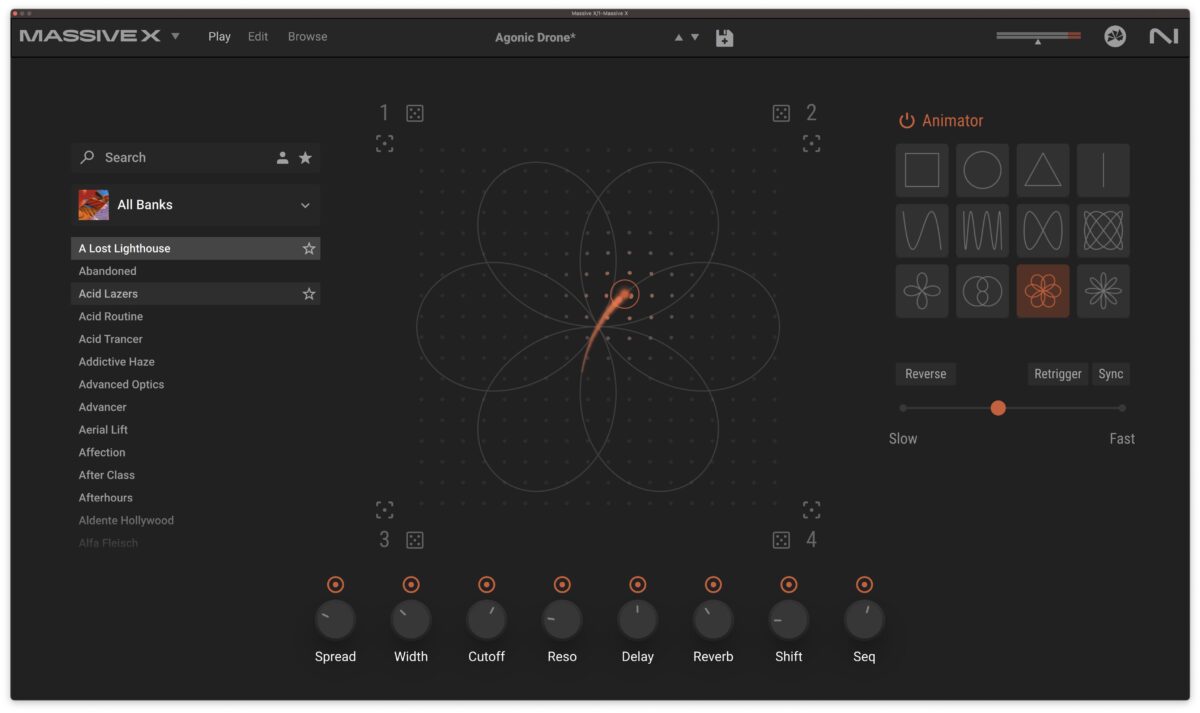
Free Massive X Player
Is Massive X Player free?
Massive X Player is 100% free. You can download it right now at no cost and get access to a curated library of high-quality presets and expansions like Ambient Atmospheres, Bass Music Essentials, Hyperpop Leads, and more. These are all powered by the exact same engine as Massive X. It’s a perfect entry point for anyone looking to use pro synth sounds in their productions without investing in a full suite.
How to use pro synth sounds in your productions for free
Massive X Player gives you an all-new way to interact with the powerful Massive X synthesis engine. Let’s take a look at five things you can do in the free version of our legendary synth.
1. Find the perfect preset in seconds
Massive X Player makes browsing and finding sounds even easier than before. On the left-hand side of the interface, you’ll find a clearly organized preset menu sorted into different expansions. Just click on an expansion, and you can instantly select from a curated selection of meticulously crafted presets.
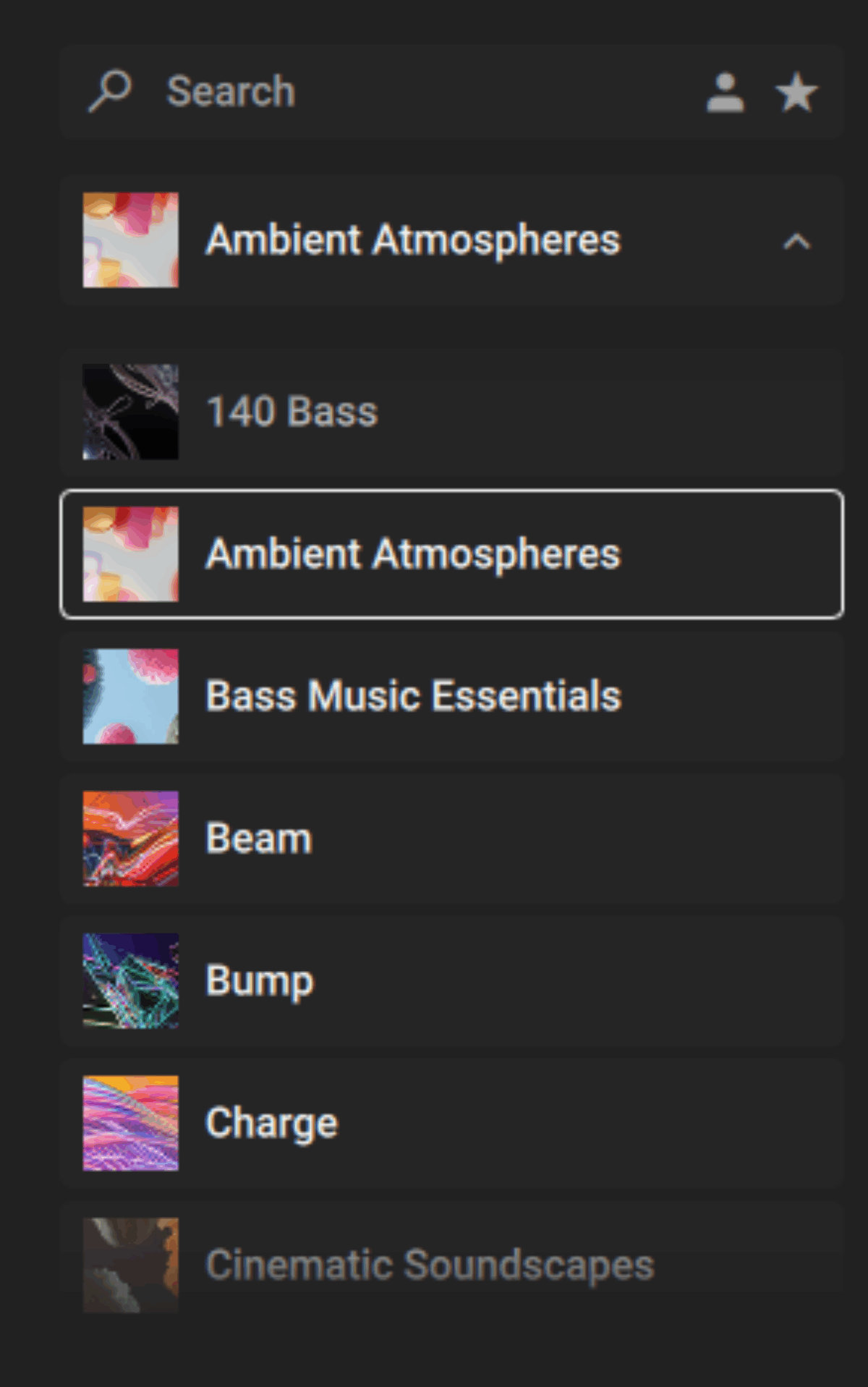
The preset selector gives you a quick glance at groups of sounds that will perfectly fit your track
Here you’re presented with ready-to-go sounds you can instantly drop into your session so that you can begin making music.
Just scroll through the presets until you find something you like. Massive X Player is one of the fastest ways to access world-class synth sounds.
2. Instantly transform presets with macro knobs
Macro knobs have always been a hallmark of the Massive synth experience, and Massive X Player takes full advantage of them. Each preset features several macros pre-mapped to critical parameters like filters, envelopes, effects intensity, and timbre characteristics. This allows for broad control over elements that affect the sound the most.
You can brighten up a pad or add bite to a bassline in seconds as the macro controls make these transformations immediate and musical. This means that you don’t need deep synthesis knowledge to change sounds. You can just twist the knob and listen as the preset changes into something new.
This shifts synthesis into a more accessible realm where you can rely on your ears rather than complex knowledge to craft your sounds.
3. Bring sounds to life with the Animator
One of the standout features of Massive X Player is the built-in Animator. This powerful modulation tool adds movement and complexity to your sounds over time. It works by moving through 12 pre-programmed shapes around the Morpher pad at the center of the interface. It visually shows how macro parameters evolve over time.
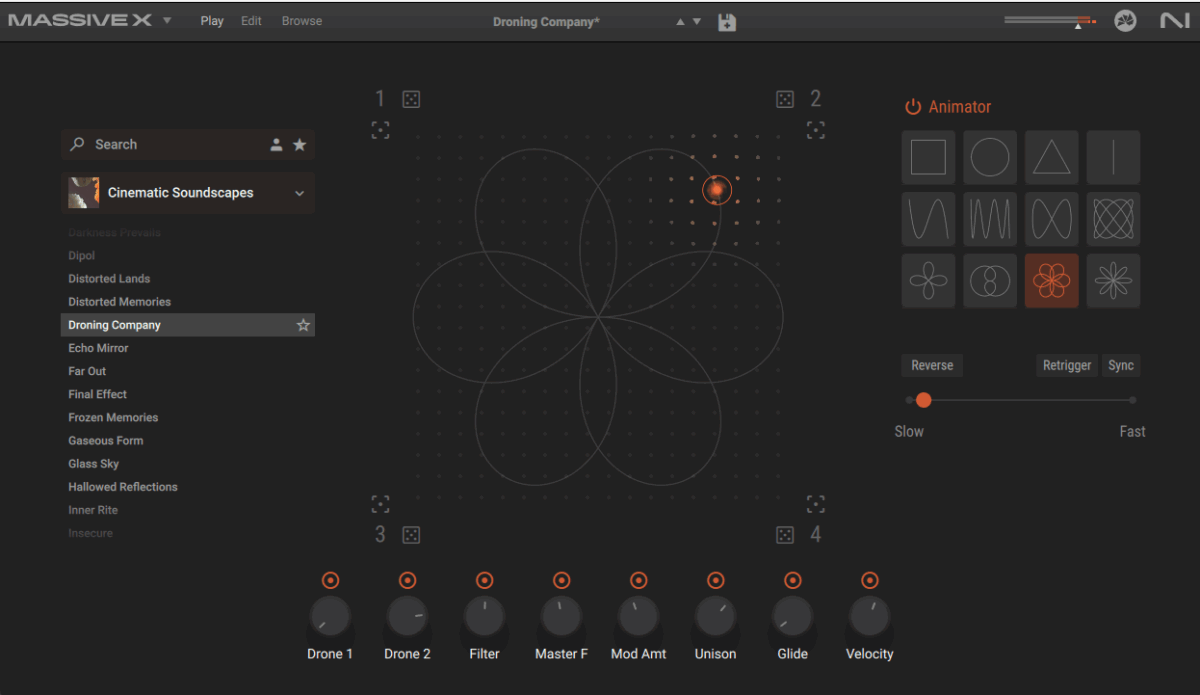
As the Animator moves, the macro controls automatically shift positions, adding dynamic motion and evolving texture
Let’s hear this in action in the Droning Company preset from Cinematic Landscapes. When the animation pattern moves across the X and Y axes, you can hear filters opening and closing, modulation amount increasing and decreasing, and unison controls evolving:
Native Instruments · 01 Slow Animator
You can control the speed of the Animator as well. Slow it down for gentle evolution, or speed it up for rhythmic effects. There’s also the option to reverse the animation direction or sync it to your project’s tempo, using divisions like eighth notes or sixteenths. This makes it ideal for LFO-style modulation or ambient textures that shift across your track.
Here’s the same sound as earlier, with the speed of the animator set to high:
Native Instruments · 02 Fast Animator
4. Precisely shape your sound with the Morpher
At the center of Massive X Player is the Morpher pad with interactive X and Y axes. Moving the cursor around this pad provides instant variations by adjusting the preset’s macro control positions simultaneously. This way, you can create instant sonic changes without manually tweaking individual knobs.
The real power of this feature comes in when automating these axes in your DAW. By assigning automation lanes to the Morph pad’s X and Y positions, you can precisely control the evolution of your synth parts.
The way that you’ll enable this depends on your DAW.
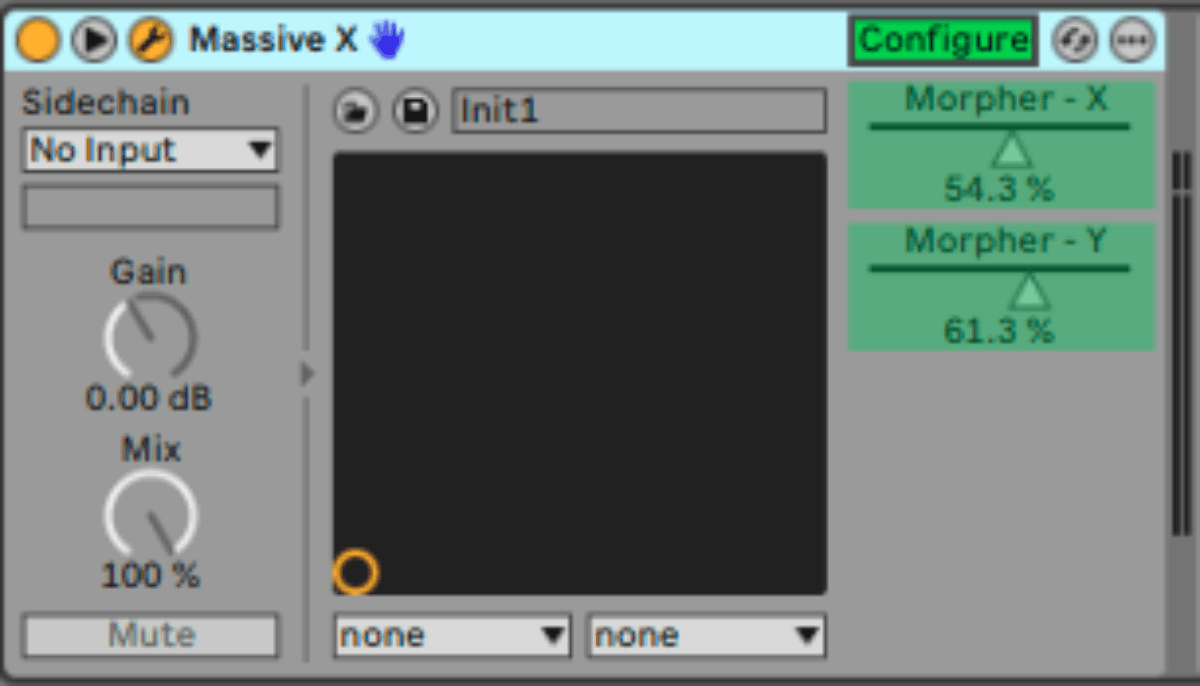
In Ableton, you’ll use configure mode to identify the Morpher’s X and Y axes. Then you’ll be able to assign percentage values and automate the axes
Massive X Player also lets you lock any macro control position. For instance, if you love the filter cutoff, delay, and reverb at a particular point but still want other parameters to shift dynamically, you can lock those knobs by clicking on the orange icon above.

Select which parameters you want to change with the Morpher’s controls
5. Create unique textures using randomization
Sometimes inspiration comes from unexpected places, especially in electronic music, where chance plays a big role.
Massive X Player’s built-in randomizer allows you to quickly discover entirely new variations of any preset by randomly altering the macro control positions.
Just hit one of the four randomizer dice buttons on the corners of the Morpher, and Massive X Player instantly reshuffles the macros. This creates new sounds from familiar presets.
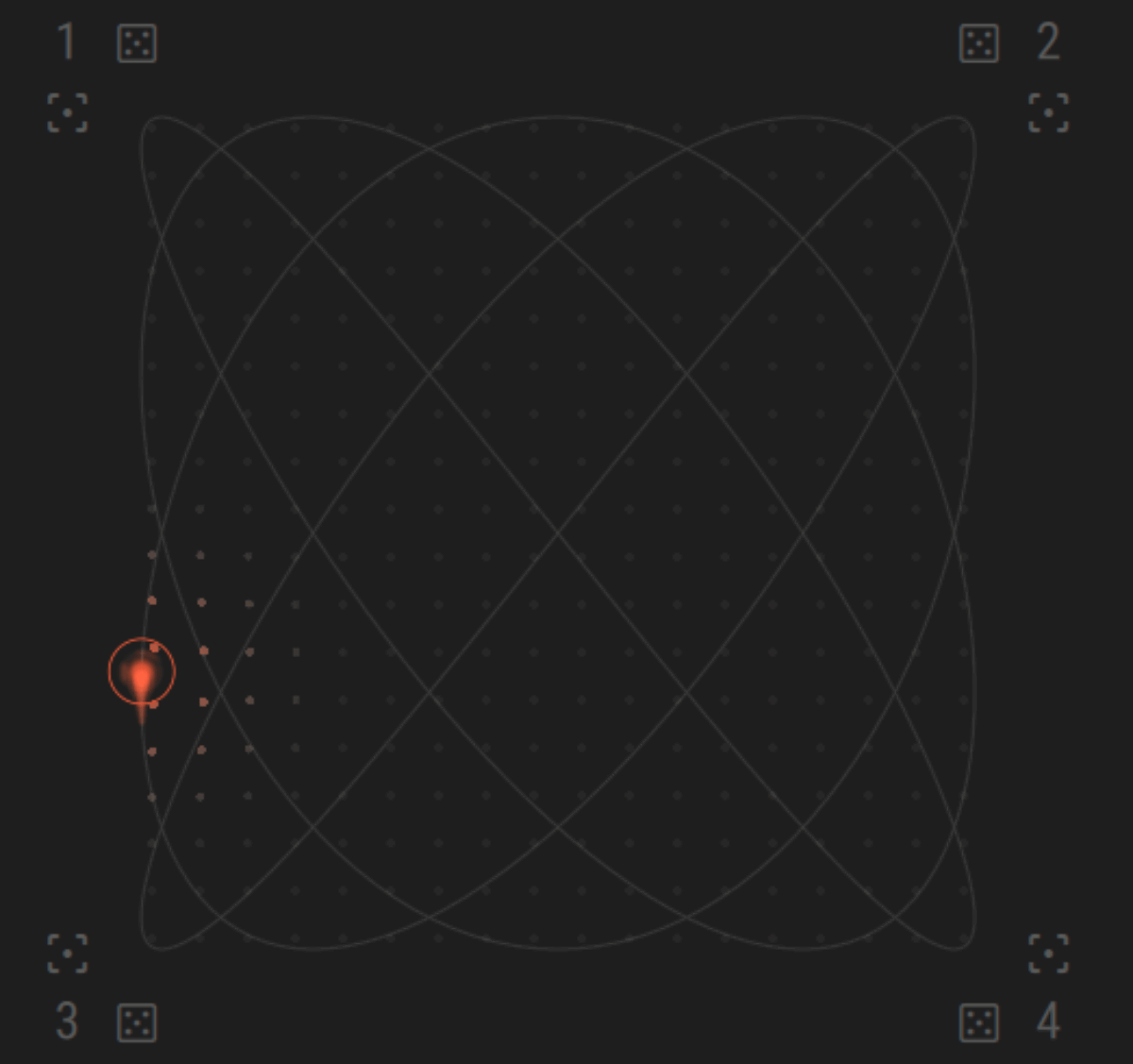
You can see the randomizer dice at each corner of the Morpher
You might suddenly discover a bass tone with an unexpected resonance, a lead sound with surprising distortion, or a pad texture that you wouldn’t have created manually.
Randomization is a great tool for overcoming creative blocks or finding fresh ideas quickly. Use it to generate unpredictable sonics that can spark inspiration and take your track in new directions.
Listen to what happens when we shuffle through the randomizer on a single preset on Massive X Player.
Native Instruments · 03 Randomizer cycle
This lets you find your own unique voice, even when using presets.
Start producing with pro-level synth sounds for free
Massive X Player provides everything you need to make pro-sounding music. With streamlined browsing, dynamic modulation, intuitive macros, and innovative morphing tools, it’s an ideal companion for producers at every skill level.
If you’ve been waiting for the right moment to look into Massive X, then the wait is over. There’s no reason not to try this endlessly inspiring synth out. Download Massive X Player free and start making music now.
Get Massive X Player free
The post Massive X Player 101: How to use pro synth sounds in your productions for free first appeared on Native Instruments Blog.